
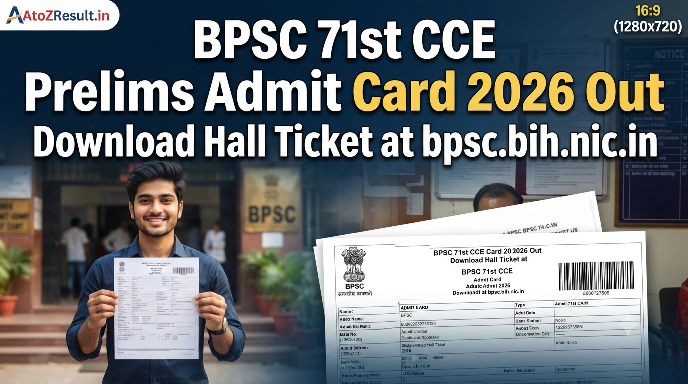
The Bihar Public Service Commission (BPSC) has officially released the hall tickets for one of the most anticipated administrative examinations in the state. Candidates who have successfully registered for the 71st Combined Competitive Examination can now access the BPSC 71st CCE Prelims Admit Card 2026 Download portal. This recruitment drive aims to fill various prestigious vacancies in the Bihar Administrative Service, Bihar Police Service, and other state departments. As of 21 November 2026, the commission has activated the link for candidates to download their e-admit cards after completing the mandatory dashboard login process.
The 71st BPSC CCE Preliminary exam is the first stage of a rigorous three-tier selection process, which also includes the Main (Written) Examination and the Personal Interview. Aspirants are advised to download their hall tickets well in advance to avoid last-minute technical glitches on the official server. The admit card is a mandatory document that contains vital information such as the candidate’s roll number, examination center address, and specific shift timings. Without a physical copy of this document, entry into the examination hall will strictly be prohibited.
BPSC 71st Combined Competitive Examination Overview
Before proceeding to the download steps, candidates should review the summary of the recruitment process. The Bihar Public Service Commission ensures a transparent selection process for these high-ranking civil service positions.
| Particulars | Details |
|---|---|
| Conducting Authority | Bihar Public Service Commission (BPSC) |
| Exam Name | BPSC 71st Combined Competitive Examination (CCE) |
| Admit Card Status | Available for Download (Released on 21 November 2026) |
| Exam Date / Schedule | 13 December 2026 |
| Official Portal | bpsc.bih.nic.in |
Important Dates & Shift Timings
The following table outlines the chronological sequence of the 71st CCE recruitment cycle. Candidates must adhere to these dates to ensure they do not miss any critical milestones of the examination process.
| Event / Milestone | Official Date / Schedule |
|---|---|
| Official Notification Released | 01 September 2026 |
| Online Application Starts | 05 September 2026 |
| Last Date to Apply Online | 05 October 2026 |
| Last Date for Online Fee Payment | 07 October 2026 |
| City Intimation Slip Release Date | 14 November 2026 |
| Admit Card Download Start Date | 21 November 2026 |
| Official Exam Dates | 13 December 2026 |
| Exam Shift Timings | Shift 1: 12:00 PM – 02:00 PM (Single Shift) |
Details Required to Download BPSC Admit Card
To access the BPSC 71st CCE Prelims Admit Card 2026 Download link, candidates must keep their login credentials ready. The BPSC portal requires the following information for a successful login:
- Username: The unique ID provided during the One-Time Registration (OTR) process.
- Password: The secret key created by the candidate during the application phase.
- Captcha Code: A security code displayed on the login screen to verify human interaction.
Documents Required at Exam Center
Candidates must carry a specific set of documents to the examination center for verification purposes. Failure to produce these may lead to disqualification from the preliminary test:
- Printed Admit Card: A clear printout of the e-admit card (preferably in color).
- Original Photo ID Proof: Aadhaar Card, PAN Card, Voter ID, or Passport.
- Passport Size Photographs: At least two recent color photographs (same as uploaded in the application).
- Blue/Black Ballpoint Pen: For marking the OMR sheet.
How to Download BPSC 71st CCE Prelims Admit Card 2026
Follow these structured steps to download your hall ticket from the official Bihar Public Service Commission website:
- Visit the Official Website: Go to the BPSC homepage at bpsc.bih.nic.in or directly navigate to the online portal at onlinebpsc.bihar.gov.in.
- Login to Dashboard: Locate the “Login” section on the homepage. Enter your registered Username and Password accurately.
- Find the Admit Card Link: Once logged in, look for the section labeled “71st Combined Competitive Examination Admit Card” on your candidate dashboard.
- Upload Photograph (If Required): BPSC often requires candidates to upload a fresh passport-size photograph before the admit card link becomes visible. Ensure the image size is within the prescribed limits.
- Download and Print: Click on the “Download Admit Card” button. Save the PDF file to your device and take a high-quality printout for the exam day.
Exam Day Guidelines & Permitted Items
To maintain the integrity of the 71st CCE Prelims, the commission has laid down strict guidelines for all aspirants:
- Reporting Time: Candidates must reach the exam center at least 2 hours before the commencement of the exam. The gates will be closed 1 hour prior to the start time.
- Prohibited Items: Electronic gadgets such as mobile phones, smartwatches, calculators, Bluetooth devices, and any printed study material are strictly banned.
- OMR Instructions: Use only a blue or black ballpoint pen to darken the circles. Do not use whitener or eraser on the OMR sheet as it may lead to rejection.
- Biometric Verification: Candidates may undergo thumb impression and facial recognition checks at the entry point.
Important Quick Links
Use the authentic links provided below to access the official BPSC portals for various examination-related activities.
| Link Description | Action / Link |
|---|---|
| Download Admit Card / Hall Ticket | Click Here |
| Check Exam City Intimation Slip | Click Here |
| Download Exam Notice PDF | Click Here |
| Official BPSC Portal | Click Here |
Frequently Asked Questions (FAQs)
1. When is the BPSC 71st CCE Prelims Exam scheduled?
The BPSC 71st Combined Competitive Preliminary Examination is scheduled to be conducted on 13 December 2026 across various districts in Bihar.
2. I forgot my BPSC login password. How can I download my admit card?
You can use the “Forgot Username/Password” link on the official login page (onlinebpsc.bihar.gov.in). You will need to provide your registration number, date of birth, and registered mobile number to reset your credentials.
3. Is it mandatory to upload a photograph before downloading the hall ticket?
Yes, as per the latest BPSC norms, candidates must upload a recent passport-size photograph (25kb max) on their dashboard to activate the admit card download link.
4. What should I do if there is a spelling error in my BPSC 71st Admit Card?
In case of any discrepancy in the name, father’s name, or category, candidates should immediately contact the BPSC helpline or visit the commission’s office in Patna with supporting documents before the exam date.